Review Comments (15) Screenshots (3) Questions & Answers (4/4) Votes (785) Awards (12) Wiki  
-Please log in to rate
3.6 3.6/5 (785)
-Apple Inc.
-7.1
- www.apple.com
-Freeware
- 1 057 347 person
Download QuickTime 7.1

19.42 KBDownloaded 26606 times


Review

QuickTime 7.1 is a one-of-its-kind application in today's high definition sound and audio technology. Its most amazing feature is the use of H.246 technology - a video compression technology that is used industry-wide. Apart from being an ultra-efficient solution, the H.264 codec compresses video tightly, which results in much smaller files without sacrificing any quality. So you can watch crisp, clear and brilliantly saturated video.

QuickTime provides common set of API's for encoding and decoding of video and audio streams. It supports the open movie .mov file format. Other video formats supported by QuickTime are Sorenson Video 2 and 3 codecs, JPEG, JPEG-2000, Photo JPEG codecs, Bitmap, AVI, DV, 3GPP, 3GPP2, MPEG 1/2/4, PNG, TIFF, TGA, Cached information from streams (QTCH), GIF, Animated GIF, Quartz Composer Composition and last but not least Flash and Flashpix.

Also QuickTime 7.1 supports all the popular audio formats including Qualcomm PureVoice (QCELP), AIFF, MIDI, Apple Lossless, QDesign Music, MP4 (AAC only), Sun AU Audio, Waweform Adio (WAV), ULAW and ALAW.
Advantages
  • QuickTime 7 Player takes advantage of the latest video compression technology called H.264.
  • Full Screen Playback.
  • Latest audio formats such as AIFF, WAV, MOV, MP4 (AAC only), CAF and AAC/ADTS also supported.
Disadvantages
  • With QuickTime 7.x update, users have been unable to render in After Effects (Adobe's video compositing program).
  • One drawback with QT 7 is it is not fully backwards compatible with older programs.
  • After you install QT, it tries to become the default player and then often troubles you with upgrade request.

Reviewed by: Sanket Chopade

Reviewer rating: Editor's rating 4

Screenshots

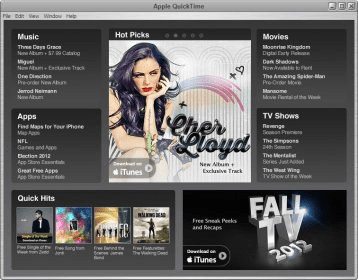
Apples Quick Time 7.1 Apples Quick Time 7.1 Welcome Screen Welcome Screen QuickTime Preferences QuickTime Preferences

Latest comments

Abdul(beginner) 14 days ago 
This latest version of QuickTime is much heavier and more functional than the previous ones in the series.
Guest #5021651(beginner) 4 months ago 
how can i cut and fix and change my video
ilies(beginner) 5 months ago 
yes quik time and quik download and quik site
Add new comment All 15 comments
Tag cloud Extensions
.mov QuickTime Movie
.dv DV Movie
.qt QuickTime Movie
.flc FLC Animation
.fli FLC Animation
Download siClient

Email Address:

Password:

Register now »

Forgot password?

Copyright © 2009, Informer Technologies, Inc. About| Privacy and terms| Help| Feedback